 outlineGo
Capture direction
Stand at a corner and save P1. Aim the rear camera at the next corner. Turn the phone, not the crosshair. Hold still for about 2 seconds; capture the direction when the status turns green.
Help / find an answer
Use the camera, sensor direction and step counter. Find answers about dimensions, saved sketches, exports and Plus too.
01 / core features
Stand at a corner and save P1. Aim the rear camera at the next corner. Turn the phone, not the crosshair. Hold still for about 2 seconds; capture the direction when the status turns green.
After capturing direction, choose Start. Walk to the next corner, stand still and choose Stop. Check the step count and resulting length.
Review the side preview and save the next point. Repeat for the next corner. Check the outline and dimensions when finished.
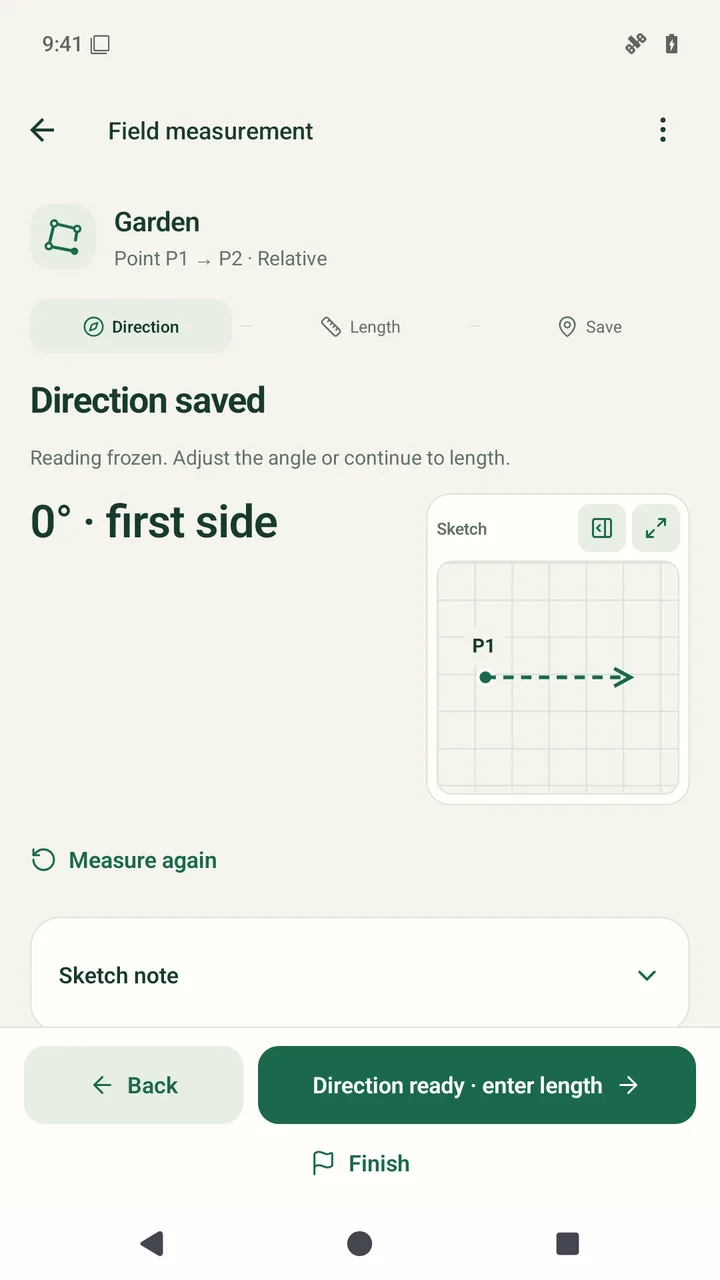
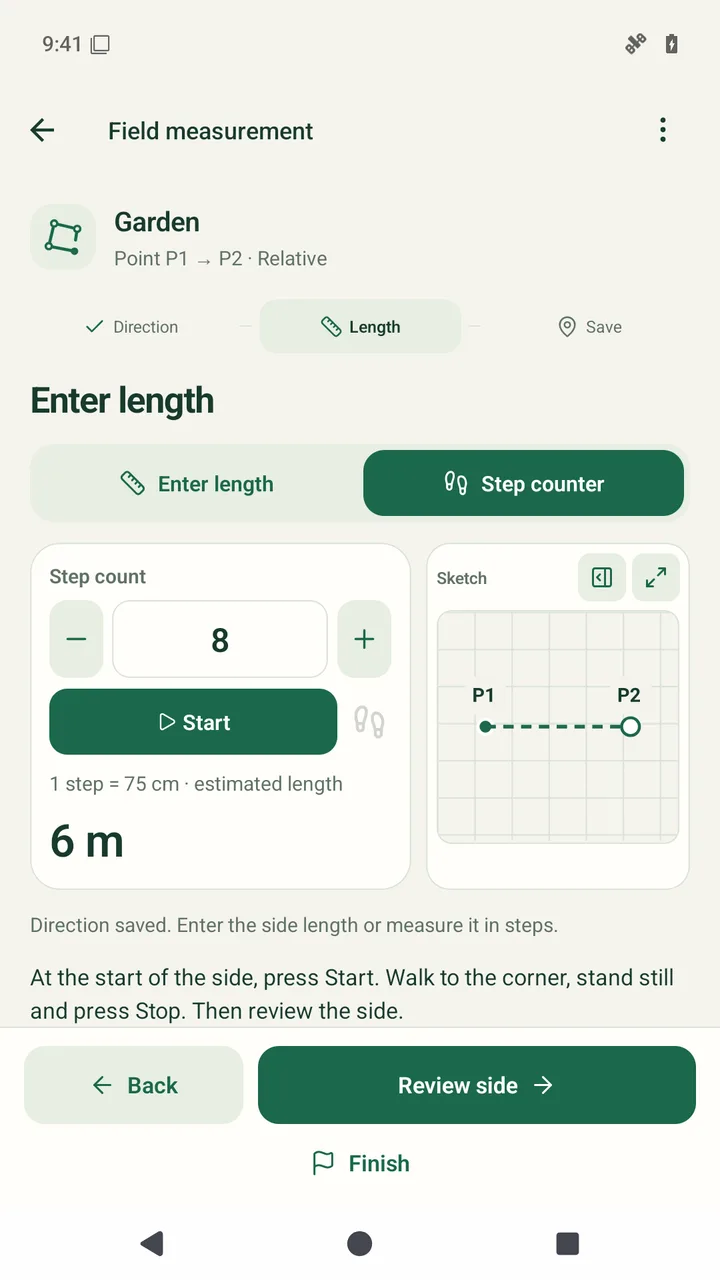
Emulator demonstration: directions and step readings are simulated, and the virtual camera garden scene comes from a generated illustration. The interface, length calculation, saving and PNG export are real. This is not a recording of a physical measurement.
Aim with the rear camera → capture direction → Start → increasing step count → stand still and Stop → check the length → save a point → next sides → close and export PNG. With a 75 cm step length, counts of 8, 6 and 8 give sides of 6 m, 4.5 m and 6 m; the 4.5 m closure is calculated. Result: 21 m and 27 m².
Music: "Montauk Point" by Kevin MacLeod (incompetech.com). Licensed under Creative Commons Attribution 4.0 (CC BY 4.0): https://creativecommons.org/licenses/by/4.0/. Source: https://incompetech.com/music/royalty-free/index.html?isrc=USUAN1400013. Changes: 108-second excerpt, quiet volume normalization, 2-second fade-in and 4-second fade-out, AAC encoding.
The camera is a viewfinder. Direction comes from the phone’s orientation sensors. Length comes from the step count and step length, or from a manually entered measurement. The app does not scan rooms in AR.
Check the app message and Android permissions: camera for the viewfinder, physical activity for step counting. Sensor availability depends on the phone. If your device does not support a measurement, enter the direction or length manually.
Moving while operating the phone can add steps. Capture direction before walking, finish the walk, stand still and then choose Stop. Check the reading before saving the side.
02 / prepare your measurement
Walk a known distance at your normal pace. Divide the distance by the number of steps and open Settings → Length of one step (cm) from the main menu, enter the result and choose Save settings. Example: 15 m ÷ 20 steps = 75 cm. Repeat the trial; the result depends on pace and terrain.
It does not automatically recalculate saved sides. Open Dimensions and points, check the lengths and correct or remeasure the required sides.
The sketch is for early planning. Sensors, steps and how you hold the phone affect the result. Verify dimensions needed for purchases or construction with appropriate equipment.
The app connects the last point to P1. This comes from the geometry of the other sides; it is not a separate measurement or automatic error adjustment.
03 / your work
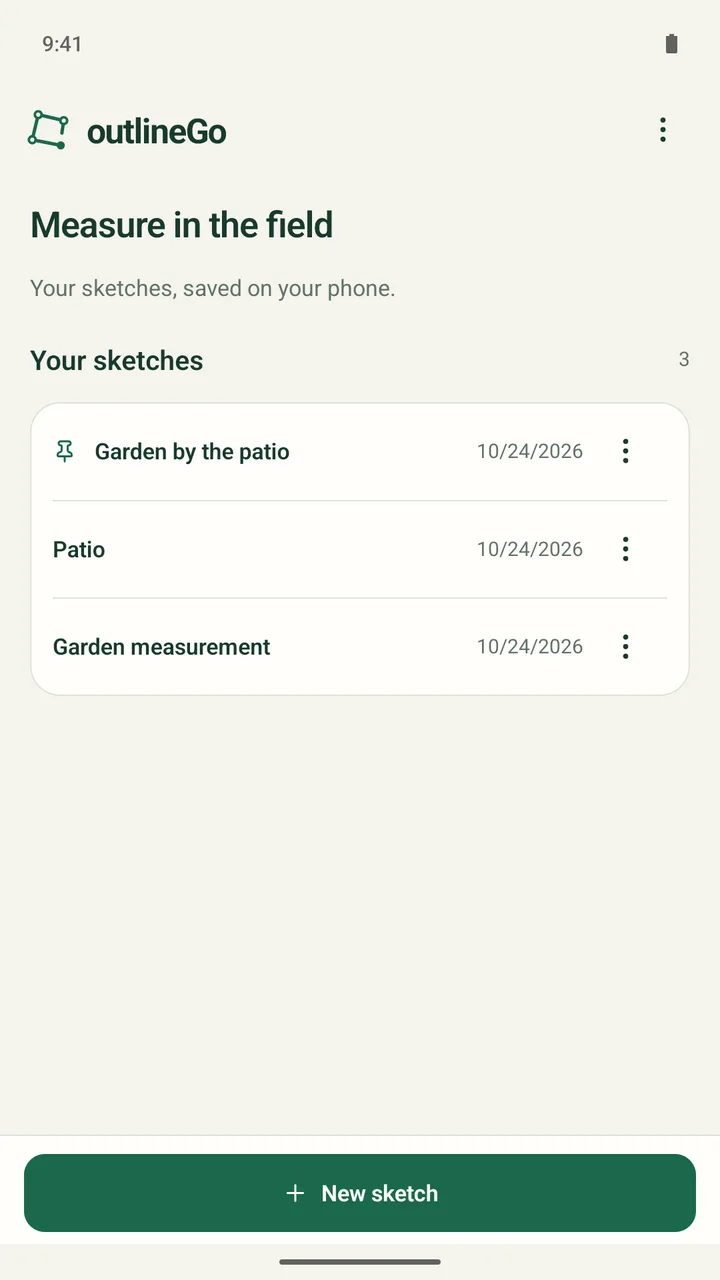
Open the sketch list and select a saved project. You can view the result, edit dimensions and notes, and continue an unfinished sketch. Follow the app’s reference instructions before taking another direction measurement.
Open Dimensions and points, select a side and edit its data or remeasure it. After saving, check subsequent points and the area: editing an earlier side can move them.
Sketches are stored locally on your phone. Removing the app or its data can delete them. PNG and DXF share the result; they do not restore an editable sketch or its measurement history.
04 / sharing
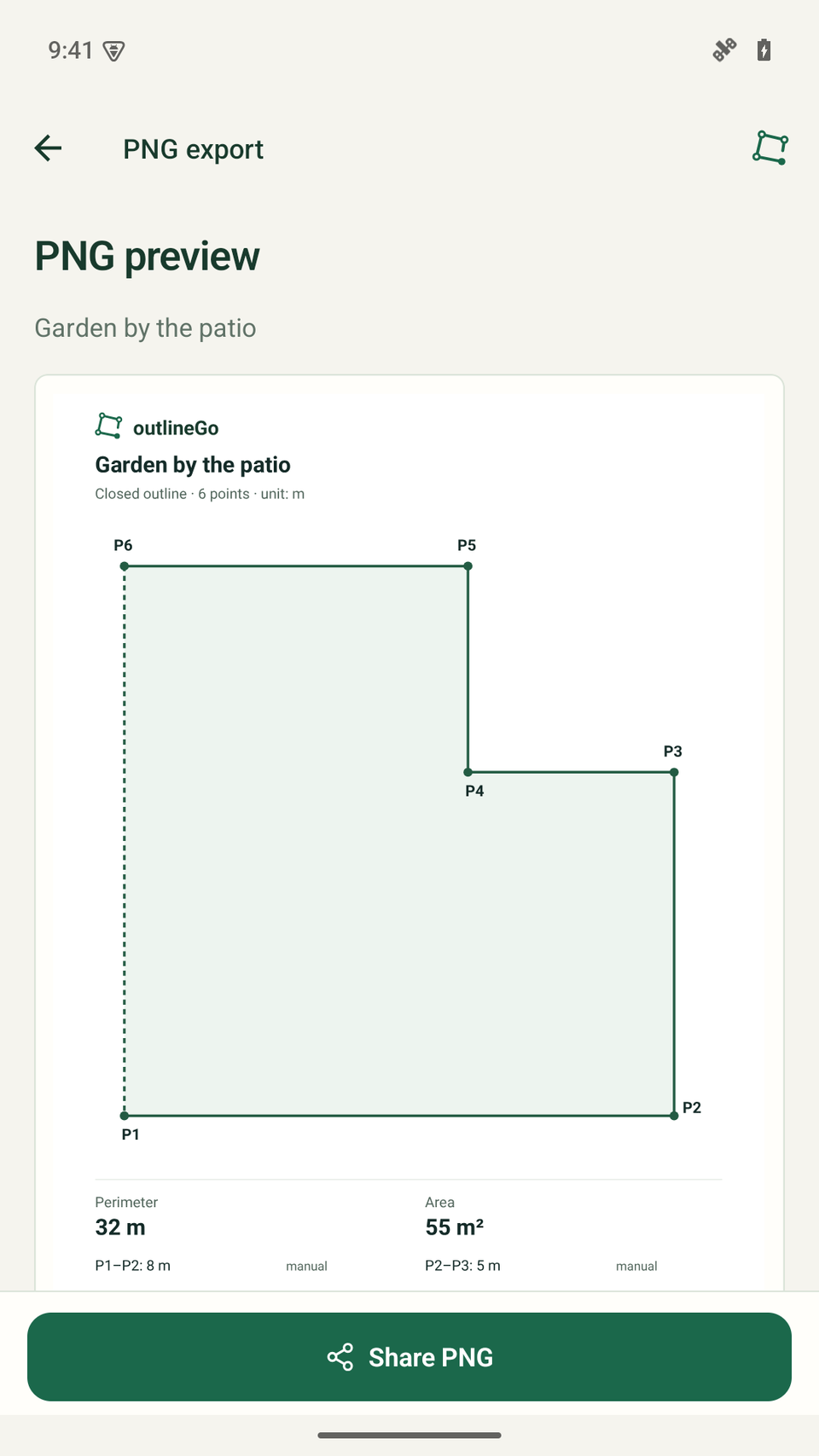
Choose PNG export in the summary, review the preview and share the file using Android’s share sheet. Available saving and sharing apps depend on your phone. Free PNG exports have a watermark.
DXF export is a Plus feature. Measurement, corrections and watermarked PNG exports work in Free. You can check a sample DXF downloaded from this website without buying Plus.
Check the unit, a reference length measured between geometry endpoints, and the outline. Length labels are not associative CAD dimensions and may need updating after geometry changes.
05 / Free & Plus
Up to 3 saved sketches and 8 points per sketch, including P1. Sensor measurements, step counting, manual dimensions, corrections and notes are available in Free. PNG has a watermark; DXF requires Plus.
In the main menu, choose outlineGo Plus, then Restore purchase. Use the same Google Play account that bought Plus and a connection to Google Play. Restoration restores the Plus entitlement, not local sketches from another phone.
Check the app message and the connection to Google Play. Use Try again if available. A pending payment unlocks Plus after confirmation; do not buy again just because payment is still pending.
outlineGo / Android