 outlineGo
Example / garden by the patio
A garden sketch
with dimensions.
Six corners, an L-shaped outline and space for a flower bed. Keep dimensions and notes together in one sketch.
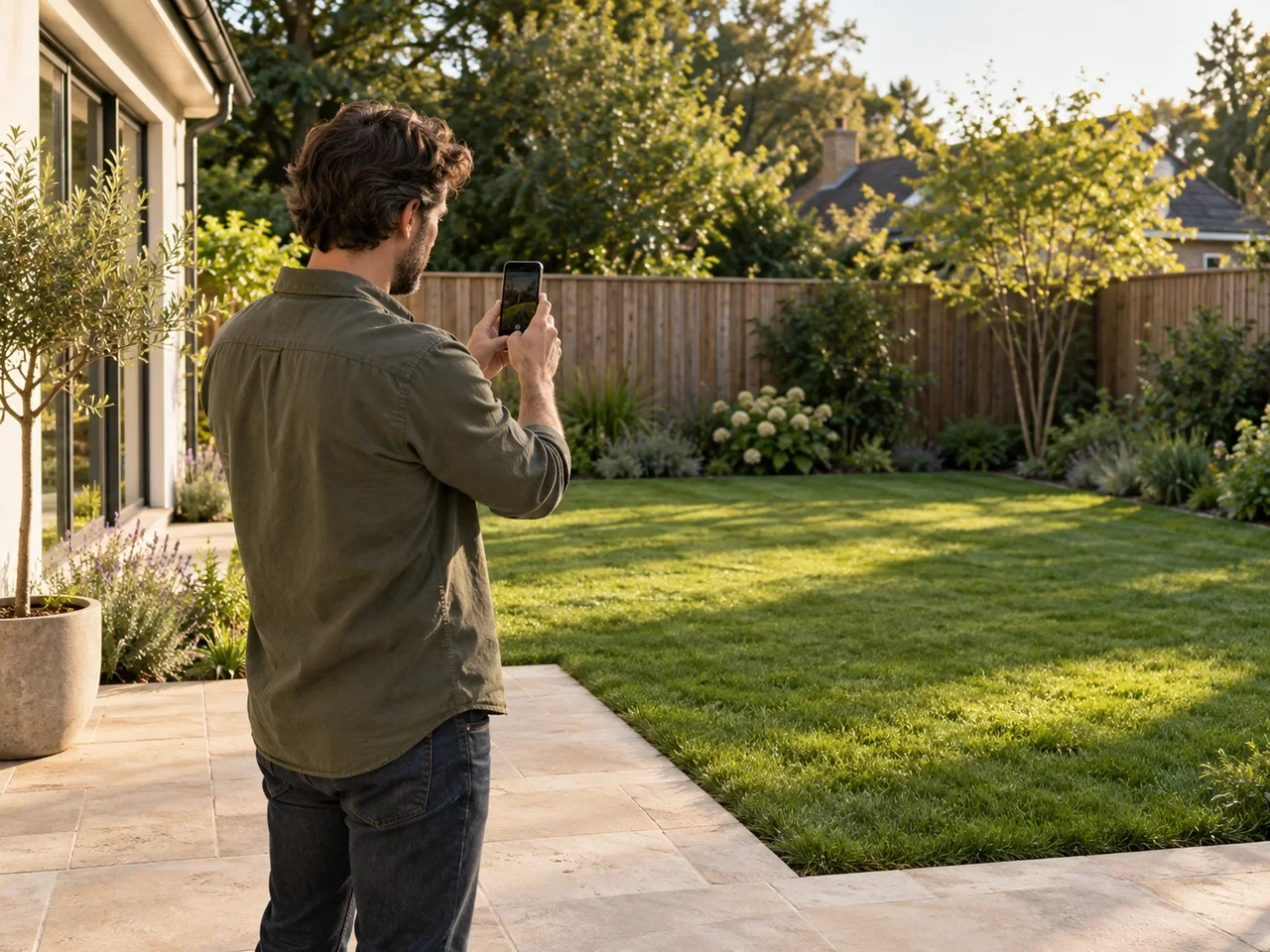
An illustration of a space, not a record of a measurement. The point diagram defines this example’s geometry.
01 / prepare the outline
Start with the corners.
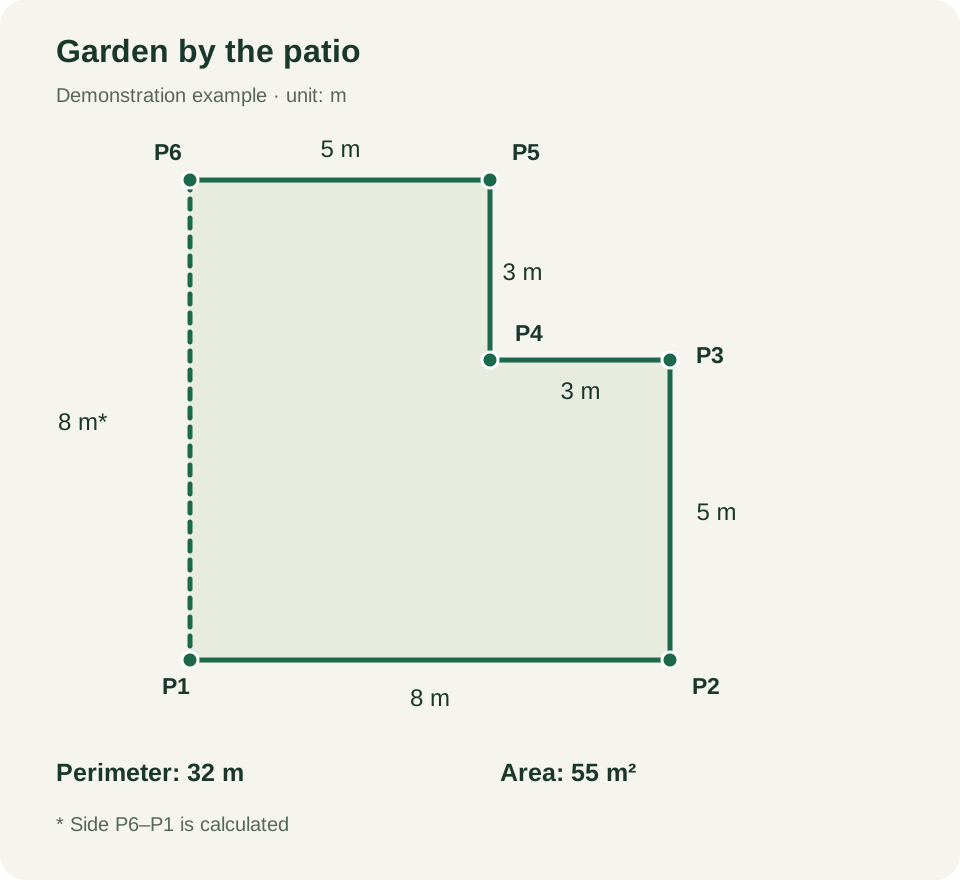
In this demonstration, P1 is the origin of a local coordinate system. The next points follow the garden boundary in order. Lengths were entered manually.
Before starting, choose accessible corners and check lengths with suitable equipment. When reading directions with your phone, maintain the reference as instructed by the app.
How to save a direction and length →| Side | Length | Source |
|---|---|---|
| P1–P2 | 8 m | Manual |
| P2–P3 | 5 m | Manual |
| P3–P4 | 3 m | Manual |
| P4–P5 | 3 m | Manual |
| P5–P6 | 5 m | Manual |
| P6–P1 | 8 m | Calculated |
Check the points and closure
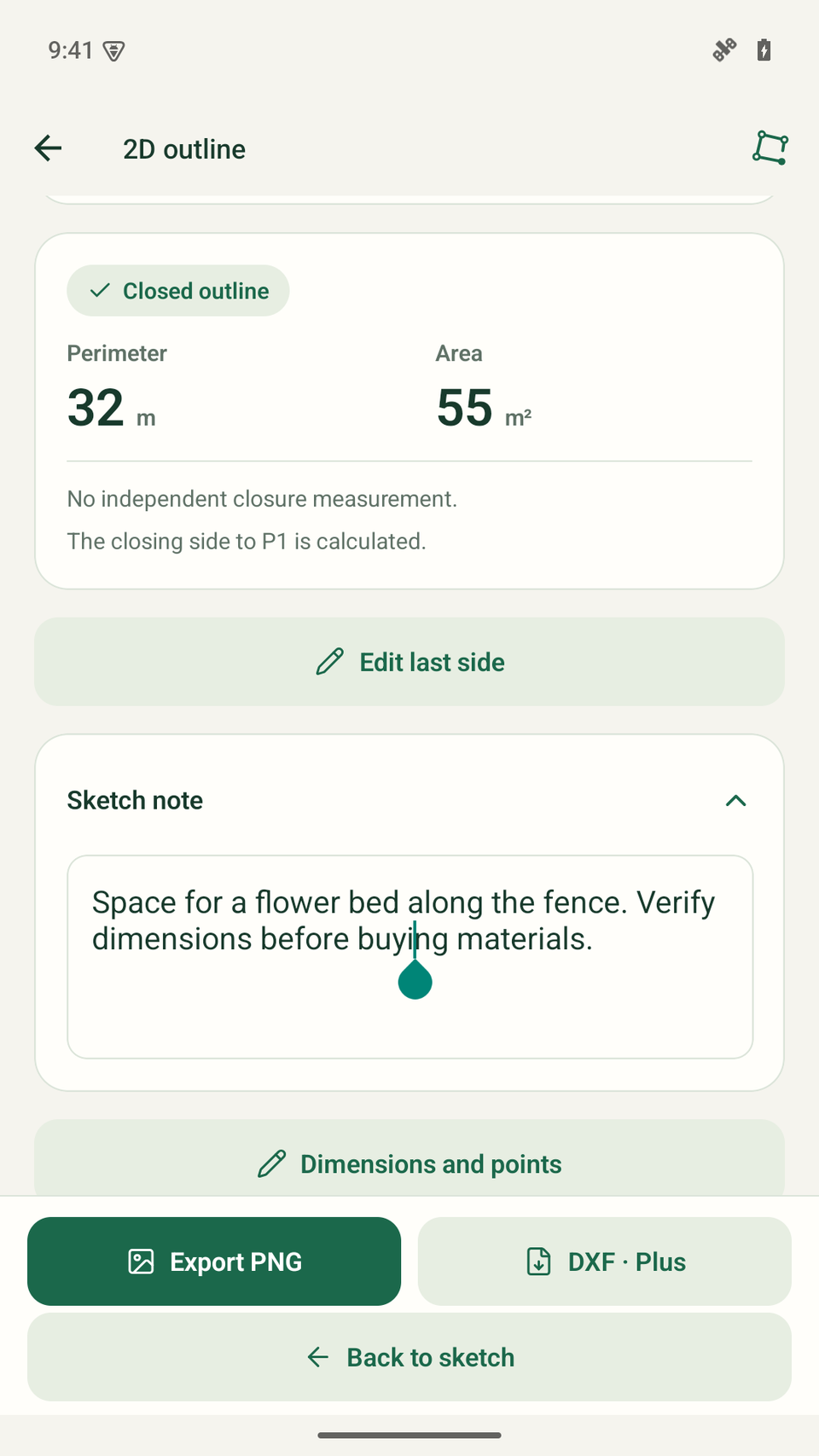
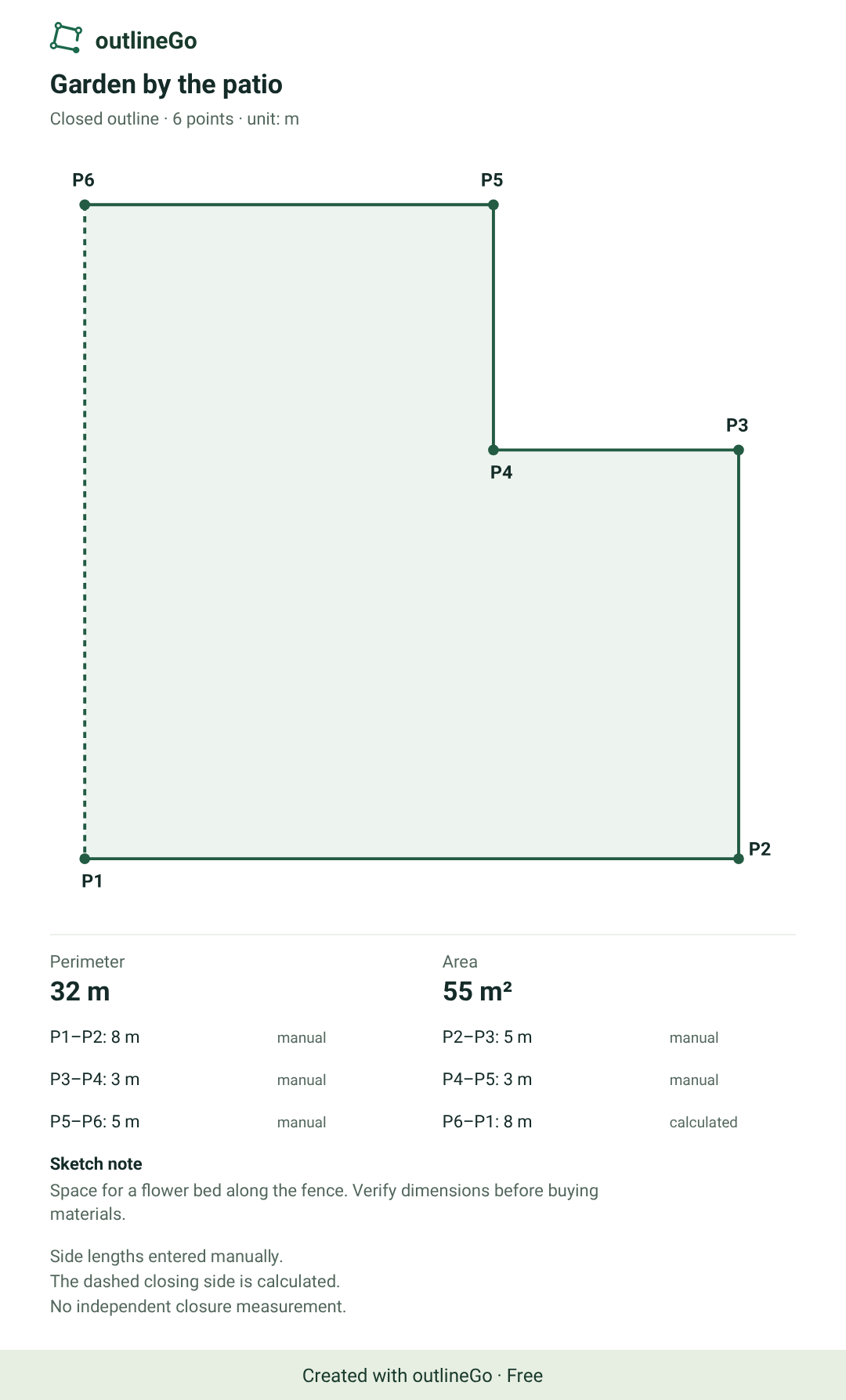
The completed outline shows points P1–P6. Five sides were entered manually. The final side, P6–P1, is a calculated connection to the first point and measures 8 m.
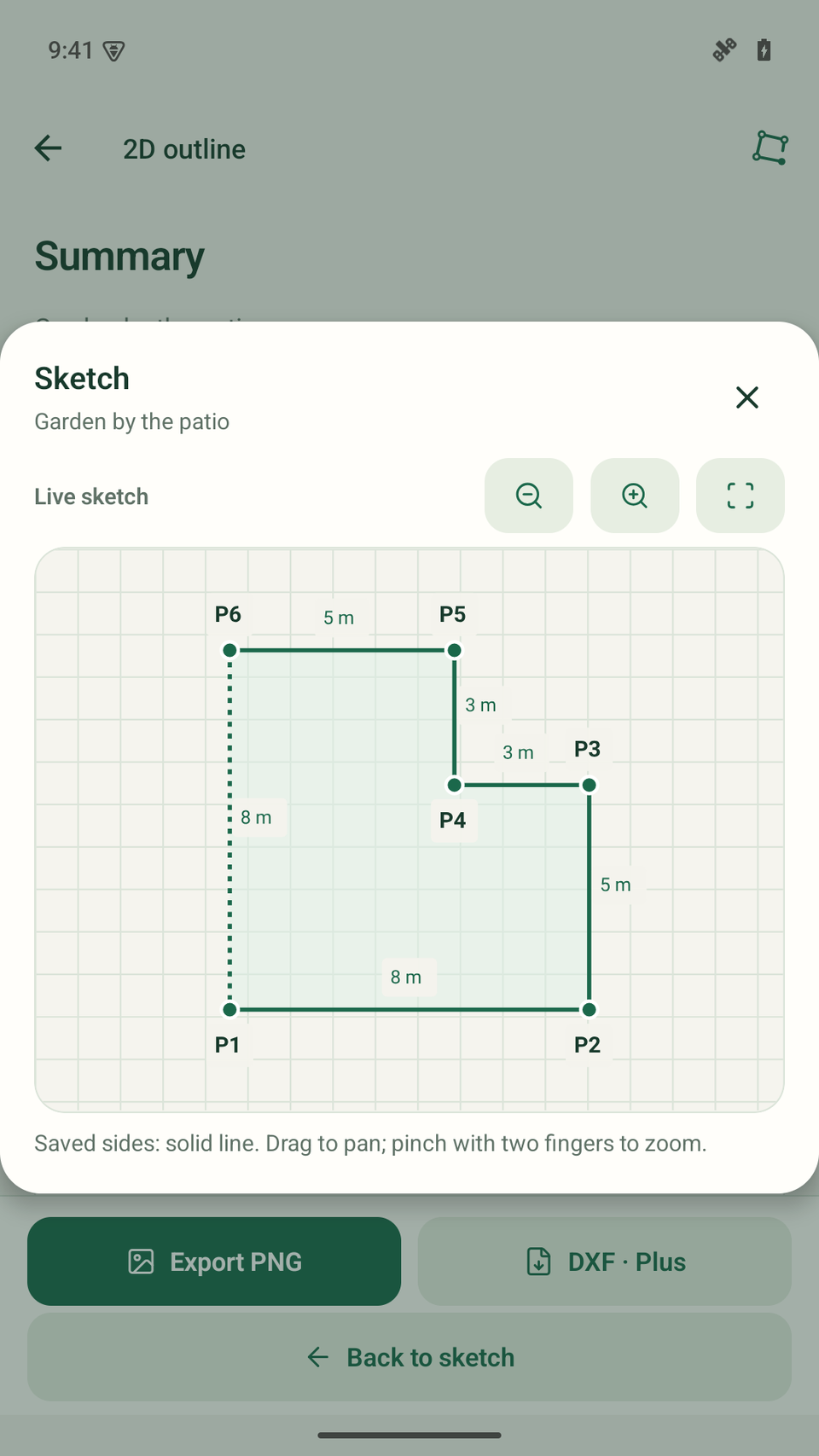
The result is a 32 m perimeter and a 55 m² area. Calculated closure is not an independent measurement of the last side and does not verify the accuracy of the whole sketch.
Add a detail you want to keep
Expand Sketch note in the summary and tap the text field. Changes save automatically.
The example reads: “Space for a flower bed along the fence. Verify dimensions before buying materials.” The note also appears in the PNG and on the NOTES layer in DXF.
04 / the finished result
Outline, dimensions and a note.
In one file.
Check before taking it further
- Do the points follow the boundary in order?
- Does each side have the right length and unit?
- Which side is calculated, and which is measured?
- Does the note capture the important details?
If needed, return to “Dimensions and points”. Editing a length or angle can change the rest of the outline and its area.
Download the example
Garden by the patio
6 points · 32 m perimeter · 55 m² · unit: m
The PNG is an original export with the Free watermark. You can download the sample DXF without a purchase; exporting your own sketches to DXF requires Plus.
About this example
What does this result mean?
Was this measured in a real garden?
This is a demonstration using the actual interface and app exports. The garden illustration is not a record of field measurement and does not reproduce the diagram’s dimensions.
Does this garden fit in Free?
Yes. Six points fit within the eight-point limit. PNG export with a watermark and corrections are available in Free. Exporting your own DXF requires Plus.
Can I use the 55 m² area to buy materials?
The area is calculated from the entered outline geometry. Check the dimensions in the field and allow for the requirements of your particular project before buying materials.
outlineGo / Android
Your next plan
starts with an outline.